Back to Hub
EN
LIGHT

V Plotter: V-Bot

HARDWARE & SOFTWARE2026-02-15
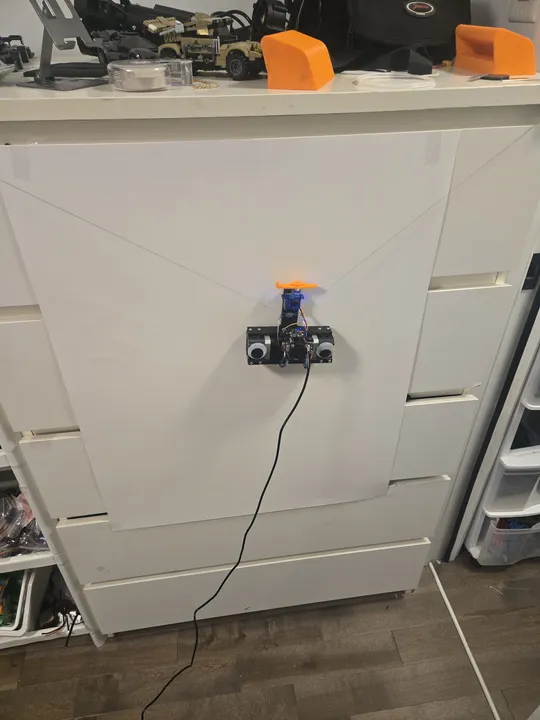
V plotter running on a wall testing cartesian movements
Testing cartesian movements on the wall
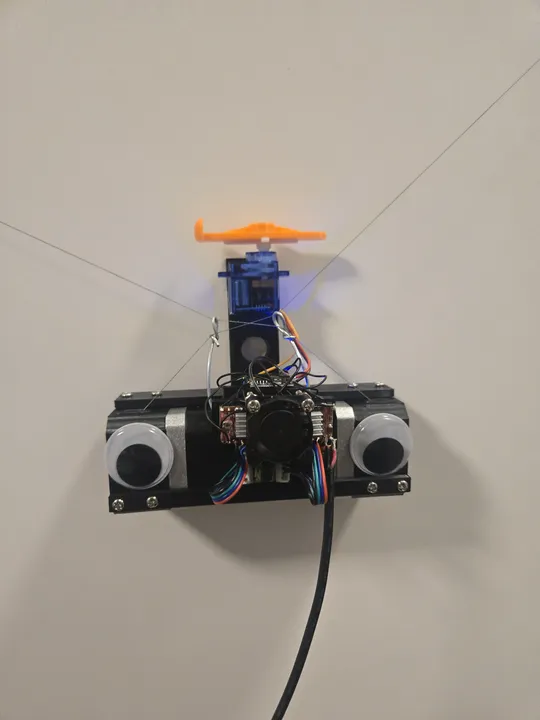
Close up of the V plotter on a whiteboard powered on
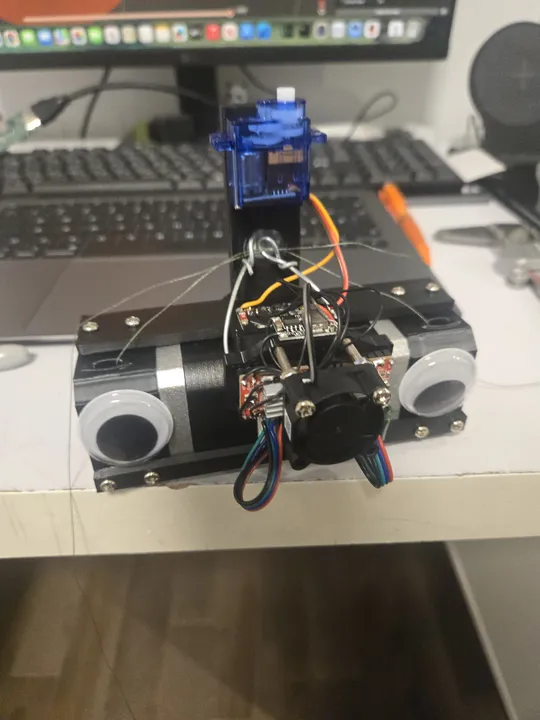
Close up of the gondola almost fully assembled
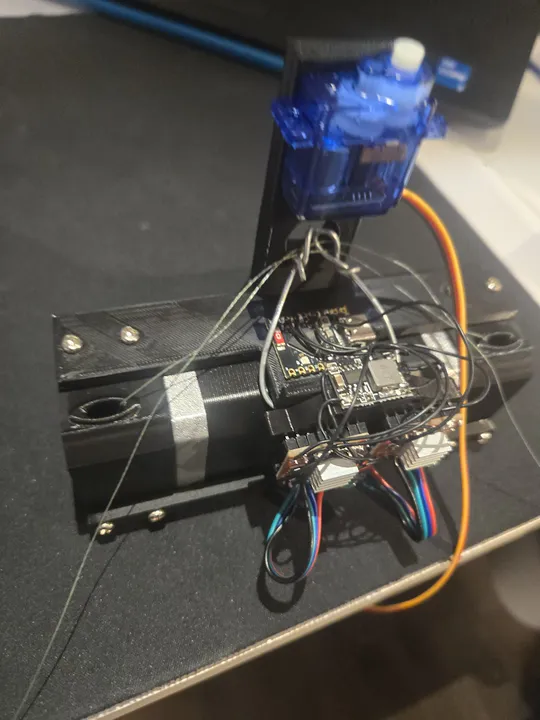
Layout of the electronics inside the v plotter
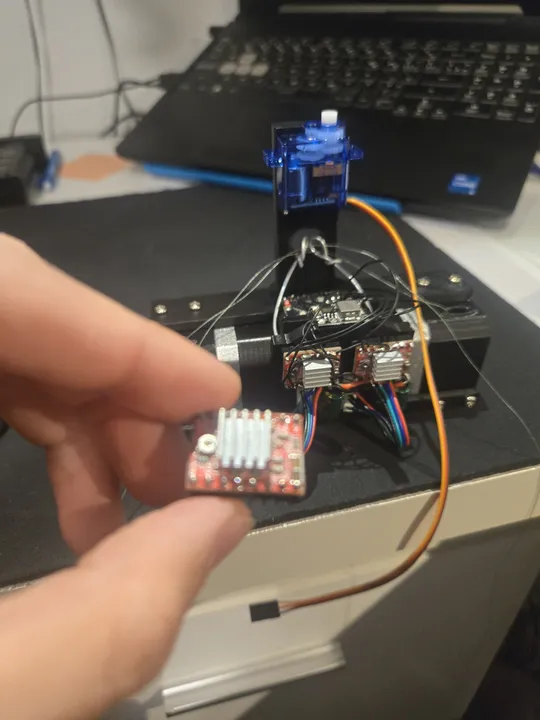
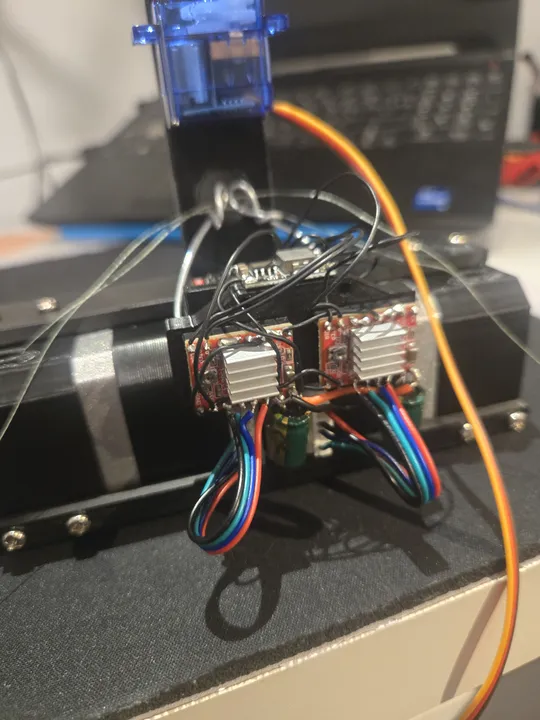
Close up of the stepper drivers
Image of a blown A4988 stepper driver
V plotter running on a wall testing cartesian movements
Close up of the V plotter on a whiteboard powered on
Close up of the gondola almost fully assembled
Layout of the electronics inside the v plotter
Close up of the stepper drivers
Image of a blown A4988 stepper driver
V plotter running on a wall testing cartesian movements
Close up of the V plotter on a whiteboard powered on
Close up of the gondola almost fully assembled
Layout of the electronics inside the v plotter
Close up of the stepper drivers
Image of a blown A4988 stepper driver

Technical Objective

The objective was the rapid engineering of a portable, self-contained V-plotter robot for automated, large-scale vector drawing. The platform utilizes a dual-stepper suspended architecture to translate Cartesian coordinates into variable-length bipolar string movements based on real-time inverse kinematic calculations.

Development Context & Lifecycle

This project was executed as a high-velocity build, progressing from conceptual design to a functional prototype in minimal time.

  • 3D Design: The chassis and gondola were modeled during school hours (background tasking).
  • Kinematic Logic: The core inverse kinematic algorithms were planned and calculated manually on the reverse side of an exam page during a formal examination session.
  • Fabrication: The hardware assembly and software integration were completed in a single 9-hour post-school session.

Hardware Architecture & Power Distribution

The system operates on a dual-voltage rail powered via a USB-C Power Delivery (PD) interface, configured to pull a constant 12V (2A peak) from the source.

  • DC-DC Topology: The 12V rail directly powers the stepper drivers. A 5V BEC (Battery Eliminator Circuit) bucks the rail down for the logic controller and servo. The logic rail is further refined via the ESP32's built-in 3.3V LDO.
  • Compute Node: ESP32-C3, hosting a localized web-server for wireless G-code telemetry and system monitoring.
  • Propulsion: Dual NEMA 17 stepper motors, suspended via high-tensile string.
  • Actuation: Integrated 9g servo for Z-axis pen engagement.
  • Thermal Management: Forced-air cooling (micro-fan) positioned over the driver array to mitigate thermal throttling.

Kinematic Theory & Mathematical Model

The V-Bot's movement is governed by Inverse Kinematics, which maps standard (x,y)(x, y) Cartesian coordinates to the specific cable lengths required for the two propulsion motors.

1. Geometry Breakdown

The robot operates in a 2D Cartesian plane with the left motor anchor typically serving as the origin (0,0)(0,0).

  • Anchor Width (WW): Horizontal distance between motors.
  • Nacelle (Gondola) Width (ww): Distance between cable attachment points on the carriage.
(0,0)  Left Anchor                 Right Anchor (W,0)
    ●──────────────────────────────────────●
     \                                    /
      \  L_left                  L_right /
       \                                /
        ●──────────────────────────────●
        (x - w/2, y)      |       (x + w/2, y)
                    [ Gondola ]

2. Inverse Kinematics (IK)

To move the pen to a specific (x,y)(x, y) coordinate, the firmware calculates the required cable lengths LlL_l and LrL_r by offsetting the target by half the nacelle width:

  • Left Cable Length (LlL_l): Ll=(x−w/2)2+y2L_l = \sqrt{(x - w/2)^2 + y^2}
  • Right Cable Length (LrL_r): Lr=(W−(x+w/2))2+y2L_r = \sqrt{(W - (x + w/2))^2 + y^2}

3. Forward Kinematics (FK)

Inverse to the positioning logic, Forward Kinematics determines the pen's actual (x,y)(x, y) location based on current cable lengths—essential for calibration and state validation.

  • X Component: x=Ll2−Lr2−(w/2)2+(W−w/2)22(W−w)x = \frac{L_l^2 - L_r^2 - (w/2)^2 + (W - w/2)^2}{2(W - w)}
  • Y Component: y=Ll2−(x−w/2)2y = \sqrt{L_l^2 - (x - w/2)^2}

4. Calibration & Homing Logic

The system uses "Sensorless Homing" by utilizing the FK model:

  1. Zeroing: Cables are fully retracted (Ll=0,Lr=0L_l=0, L_r=0).
  2. Defined Release: Motors release a precise, known length of string (e.g., 2000mm2000mm).
  3. State Initialization: The robot applies the Forward Kinematics formula to its current known WW and LL values to derive its physical starting (x,y)(x, y) coordinate.

5. Resolution & Step Conversion

Linear lengths (mmmm) are converted to discrete motor steps:

Steps=Length (mm)×Steps Per mm\text{Steps} = \text{Length (mm)} \times \text{Steps Per mm}

Because the suspended geometry is non-linear, the controller executes these calculations at high frequency during flight to ensure vectorized straight-line movements.

Bill of Materials (BOM) & Economic Optimization

The project prioritized aggressive cost-reduction through bulk sourcing and component harvesting.

  • Motion Kit (4x Steppers, 4x A4988, RAMPS-style hat, Arduino Uno): $20.00
  • Logic Node (ESP32-C3): $1.00
  • Power Logic (USB-C PD Board, 5V BEC): $2.50
  • Actuator (9g Servo): $2.00
  • Frame (3D Printed PLA + electricity overhead): $5.00

Total System Cost: ~$30.50

Post-Mortem: Failure Analysis

The primary failure mode identified during testing was the catastrophic failure of the A4988 stepper drivers. Analysis determined the cause was the poor silicon quality of the drivers included in the $20 "entry-level" kit. While economically efficient for the initial prototype, the drivers exhibited high thermal instability and low current tolerances, leading to several blown units during high-torque vertical movements. Future iterations will require high-quality Trinamic drivers for enhanced reliability.

3D Model

Files & Links

View on GitHub
Download 3D Model (STL)V-Bot 3D components for printing

Built at 16 years 11 months